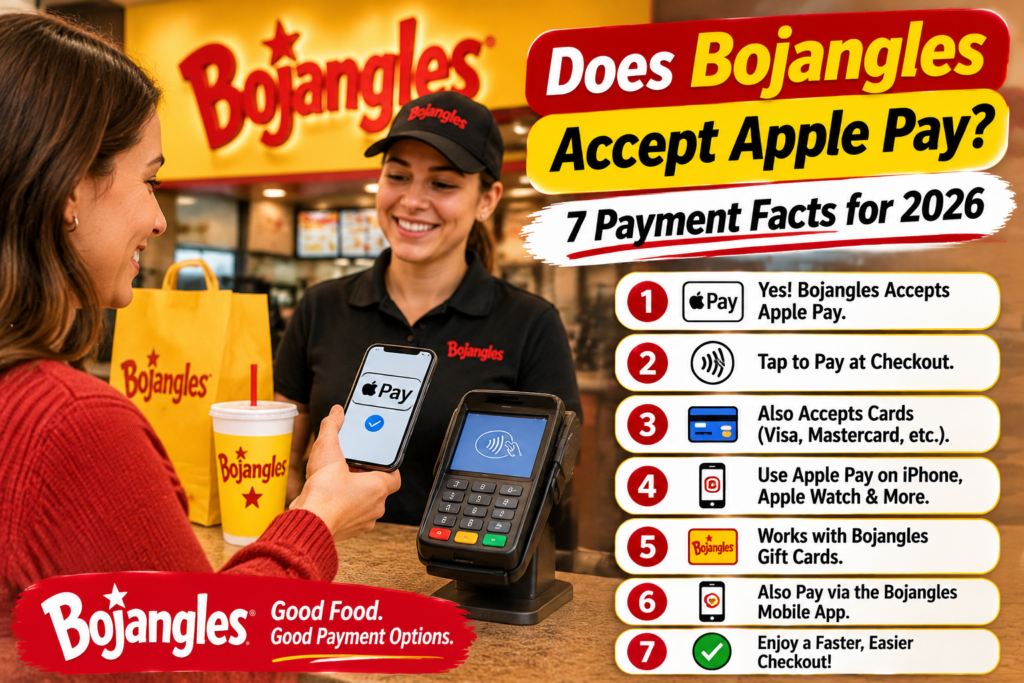
You’re standing at the Bojangles counter, ready to pay for a Cajun Filet Biscuit and a cup of coffee. You reach for your iPhone, but then realize you aren’t sure whether the restaurant accepts Apple Pay.
It’s a small question that can become inconvenient when you’ve left your physical wallet at home. So, does Bojangles accept Apple Pay in 2026?
The short answer is yes, at some locations. Apple Pay has been reported as an accepted payment method at select Bojangles restaurants. However, acceptance can vary by location, and the company does not clearly guarantee Apple Pay at every restaurant nationwide.
That distinction matters whether you’re ordering inside, visiting the drive-thru, or paying through a mobile app.
This guide explains seven things worth knowing about Bojangles payment methods, including Apple Pay, Google Pay, contactless cards, online ordering, and what to do when a mobile payment doesn’t work.
Quick Answer: Does Bojangles Take Apple Pay?
Bojangles customers may be able to pay using Apple Pay at restaurants equipped with compatible contactless payment terminals.
However, a contactless terminal and a supported payment method are both necessary. Just because a restaurant accepts credit cards doesn’t automatically mean every digital wallet will work.
Here’s a quick breakdown of the payment options customers commonly ask about.
| Payment Method | What Customers Should Know |
|---|---|
| Apple Pay | Reported at select locations; confirm locally |
| Google Pay | Reported for in-restaurant use at some locations |
| Contactless debit or credit card | Depends on terminal and merchant support |
| Physical debit or credit card | Supported through applicable card-payment systems |
| Cash | Generally available for in-person purchases; confirm locally |
| Apple Pay in drive-thru | Depends on location and payment equipment |
| Apple Pay for online orders | Check the payment options shown at checkout |
| Bojangles eGift | Redeemed through a linked eligible payment card |
Important: This table is a practical guide, not a guarantee that every Bojangles restaurant offers every payment method.
1. Does Bojangles Accept Apple Pay Inside the Restaurant?
Apple Pay has been reported as available for in-person purchases at select Bojangles locations.
For customers, the easiest way to identify a compatible checkout is to look for the contactless payment symbol on the card reader.
If the terminal supports Apple Pay and the restaurant has enabled the payment method, you can usually complete the purchase without inserting or swiping a physical card.
How to Pay With Apple Pay at Bojangles
If your selected restaurant accepts Apple Pay, the process is straightforward.
- Place your order at the counter.
- Tell the cashier you would like to pay using Apple Pay.
- Wait until the payment terminal is ready.
- Double-click the side button on a compatible iPhone.
- Authenticate using Face ID, Touch ID, or your device passcode.
- Hold your iPhone near the contactless reader.
- Wait for the payment confirmation before leaving.
The process normally takes only a few seconds when the terminal and payment connection are working properly.
However, don’t assume the restaurant accepts Apple Pay just because the card reader looks modern. Some terminals have contactless features that are not enabled.
If you’re unsure, ask the cashier before placing a large order.
2. Can You Use Apple Pay at the Bojangles Drive-Thru?
Drive-thru payment is where things can become less predictable.
A Bojangles restaurant may accept Apple Pay inside while using different payment equipment at the drive-thru window.
For example, the drive-thru cashier might have access to a contactless reader, or the restaurant may use a payment terminal positioned away from the window.
Neither setup guarantees that customers can use Apple Pay without difficulty.
What Should You Do Before Reaching the Window?
If you’re planning to pay using your phone, mention it when placing your order.
A simple question such as, “Can I use Apple Pay at the window?” can save time for you and the people waiting behind your vehicle.
If the employee confirms that contactless payments are available, have your phone ready before reaching the payment window.
Avoid handing over an unlocked phone unnecessarily. Whenever possible, complete the transaction yourself using a reader presented within reach.
What If the Drive-Thru Doesn’t Accept Apple Pay?
You can ask whether another checkout option is available, such as paying inside the restaurant.
Otherwise, you’ll need an accepted alternative payment method.
This is why carrying a physical debit or credit card remains useful, particularly when visiting a Bojangles location for the first time.
3. Does Bojangles Accept Google Pay or Google Wallet?
Apple Pay isn’t the only digital wallet customers use.
Android users often prefer Google Wallet, which allows eligible payment cards to be used at compatible contactless terminals.
Third-party payment directories have reported Google Pay acceptance at some Bojangles restaurants, particularly for in-person transactions. However, availability should still be confirmed with the individual restaurant.
How Google Wallet Payments Work
Google Wallet uses near-field communication, commonly called NFC, to communicate with supported payment terminals.
To use it, your Android phone generally needs:
- An NFC-compatible device with NFC enabled.
- A supported payment card added to Google Wallet.
- The appropriate screen lock and payment security settings.
- A merchant terminal that accepts contactless payments.
Google explains these requirements in its official Google Wallet contactless payment guide.
If your phone is configured correctly but the payment fails, the problem may be with the terminal, payment card, issuer, or merchant configuration rather than the wallet itself.
Apple Pay vs. Google Pay at Bojangles
Both services can provide a convenient alternative to using a physical card.
The important difference for Bojangles customers isn’t which phone brand they own. It’s whether their chosen restaurant supports the payment method.
For either wallet, checking with the restaurant remains the safest approach.
4. Can You Use Apple Pay on the Bojangles App or Website?
Bojangles offers digital ordering services that allow customers to place orders for pickup and other available fulfillment methods.
However, payment options can depend on the ordering platform, selected restaurant, device, and checkout configuration.
Bojangles’ current Terms of Use explain that certain online ordering and delivery features may be provided through third-party platforms, including the DoorDash Commerce Platform.
That means you shouldn’t assume every checkout will offer exactly the same payment methods.
How to Check Apple Pay Before Ordering
Open the official Bojangles website or app and select your restaurant.
Add the items you want, then proceed to checkout.
Before submitting payment, review the available payment options.
If Apple Pay appears as a supported option, you can follow the on-screen instructions. If it doesn’t appear, use another payment method offered by that checkout.
Don’t assume an Apple Pay button will become available after you submit the order.
Are Online and In-Restaurant Prices Always the Same?
Not necessarily.
Bojangles’ official terms explain that prices may differ between restaurant purchases, online orders, and third-party delivery platforms.
Delivery and service fees may also apply.
For example, a meal that appears reasonably priced on the restaurant menu could cost more after delivery charges, taxes, and other applicable fees.
Before paying, compare the final checkout total rather than focusing only on the advertised meal price.
For additional ordering advice, read our Bojangles Pickup vs. Delivery Guide.
5. Does Bojangles Accept Contactless Credit and Debit Cards?
Apple Pay and Google Wallet aren’t the only ways to make a contactless payment.
Many physical credit and debit cards now contain NFC technology.
These cards typically display a contactless symbol, often resembling four curved lines.
At a compatible terminal, you may be able to tap the physical card instead of inserting it.
However, whether that feature works at a particular Bojangles restaurant depends on the terminal and its payment configuration.
Is Tapping a Card the Same as Using Apple Pay?
Not exactly.
Both methods can use contactless payment technology, but they handle card credentials differently.
Apple Pay uses device-specific payment credentials and authentication features designed to protect the underlying card information.
A contactless physical card uses its own supported payment technology.
From the customer’s perspective, both can be convenient, but support for one payment option should not be treated as proof that every other option is enabled.
What About Regular Card Payments?
If mobile payment isn’t available, a physical debit or credit card may be an alternative.
For large family orders or purchases where payment reliability matters, having a backup method can prevent an unnecessary delay.
You can review meal options and estimated prices in our Bojangles Menu With Prices 2026.
6. Can You Use Apple Pay to Purchase Bojangles Gift Cards?
This question needs a little clarification because Bojangles offers a digital gifting program with a different redemption process from a traditional gift card.
According to the company’s official digital gifting information, recipients activate their gift value using an eligible existing credit or debit card.
When they make qualifying Bojangles purchases with that linked card, the program provides statement credits up to the available gift value.
This means the recipient isn’t necessarily presenting a separate gift card at the restaurant counter.
How Bojangles Digital Gifting Works
The process involves purchasing an eGift, sending it to a recipient, and having the recipient activate the value through the program’s designated service.
The recipient then uses the linked payment card for qualifying Bojangles purchases.
Bojangles states that these gifts can be redeemed through eligible in-store and online transactions.
Its official gifting information also identifies several payment options for purchasing eGifts through the gifting provider, including major credit and debit cards, Google Pay, Amazon Pay, and PayPal.
Apple Pay is not explicitly listed among those purchasing options in the official information reviewed.
Therefore, customers should check the actual gift-purchase checkout before assuming Apple Pay is available.
You can read the current rules on the official Bojangles Digital Gifting page.
Can You Combine a Digital Gift With Apple Pay?
Don’t assume that adding the same payment card to Apple Wallet automatically guarantees eligibility for a gift-related statement credit.
The gifting program’s requirements and the way a transaction is processed may affect eligibility.
If you have a Bojangles eGift linked to a card, follow the redemption instructions provided by the gifting service.
7. What Should You Do If Apple Pay Doesn’t Work at Bojangles?
A declined mobile payment can be frustrating, particularly when you’re ordering during a busy lunch period.
Fortunately, not every failed Apple Pay transaction means the restaurant has stopped accepting the service.
Several issues can prevent a payment from going through.
The Restaurant Doesn’t Support Apple Pay
This is the first possibility to rule out.
Ask the employee whether Apple Pay is currently accepted at that checkout.
If it isn’t supported, changing settings on your phone won’t solve the problem.
The Contactless Reader Isn’t Working
A terminal may temporarily lose connectivity, require a restart, or have its contactless function disabled.
If the cashier confirms a terminal issue, ask whether another reader or payment method is available.
Your Payment Card Has a Problem
Apple Pay still depends on the underlying payment card and its issuer.
A transaction may be declined because of insufficient funds, card restrictions, fraud-prevention checks, or another issuer-related reason.
If other Apple Pay transactions are also failing, contact your bank or card provider.
Your Phone Isn’t Ready for Payment
Check that your intended card is selected and your device authentication is working.
If you’re using an Apple Watch, make sure the watch is properly configured for payments.
You Haven’t Received Payment Confirmation
Don’t repeatedly attempt the same transaction without checking its status.
Ask the cashier whether the payment was approved. If necessary, review your wallet or banking activity to distinguish a completed charge from a pending authorization.
For an incorrect or incomplete food order, our Bojangles Wrong or Missing Items Guide explains practical ways to request assistance.
How to Check Whether Your Local Bojangles Accepts Apple Pay
Because payment acceptance can vary, the most reliable answer comes from the restaurant where you intend to order.
Use the official Bojangles location finder to identify the relevant restaurant and its contact details.
Then call and ask whether Apple Pay works at the counter and drive-thru.
It’s worth asking about both, especially if you don’t plan to enter the restaurant.
You can also check for contactless payment symbols when you arrive, although those symbols alone don’t establish that every wallet is accepted.
If you’re visiting an unfamiliar restaurant, confirm its operating hours as well. Our Bojangles Hours Guide covers the differences customers should consider when planning a visit.
Is Apple Pay Safe to Use at Bojangles?
Apple Pay is designed to reduce the exposure of your underlying card information during transactions.
Instead of transmitting your actual card number in the same way as a conventional card-number entry, Apple Pay uses payment credentials associated with your device.
Transactions also rely on authentication and security controls.
That doesn’t mean every purchase is immune to fraud, payment errors, or account problems.
Customers should still check their receipts, review unfamiliar charges, and avoid sharing authentication codes or sensitive account information.
For official technical information, see Apple’s Apple Pay security and privacy documentation.
Frequently Asked Questions
Does Bojangles accept Apple Pay in 2026?
Apple Pay has been reported as accepted at select Bojangles locations. However, nationwide acceptance has not been clearly confirmed in the official information reviewed. Contact your local restaurant before relying on Apple Pay as your only payment method.
Does Bojangles take Apple Pay at the drive-thru?
Some locations may support contactless payments at the drive-thru, but availability depends on the restaurant’s equipment and checkout configuration. Ask the employee before reaching the payment window.
Can I use Apple Pay for Bojangles delivery?
It depends on the ordering platform and checkout options. If Apple Pay is offered during checkout, follow the platform’s instructions. Otherwise, choose another supported method.
Does Bojangles accept Google Pay?
Google Pay has been reported as available at some Bojangles restaurants for in-person purchases. Check with your selected location because acceptance can vary.
Can I pay with my Apple Watch at Bojangles?
An Apple Watch configured for Apple Pay may work at a compatible contactless terminal where Apple Pay is accepted. Restaurant and terminal support must still be confirmed.
Does Bojangles accept cash?
Cash is generally an option for in-person restaurant purchases, but customers should confirm with their chosen location, especially if it operates under special payment arrangements.
Can I use Apple Pay to buy a Bojangles gift card?
The official digital gifting page lists several payment options through its gift provider, but Apple Pay is not explicitly identified in the information reviewed. Check the available options at the actual gift-purchase checkout.
Why was my Apple Pay declined at Bojangles?
Possible reasons include an unsupported payment terminal, a temporary connection problem, a card issuer decline, or a device authentication issue. Ask the cashier to confirm the transaction status before trying again.
Final Verdict: Should You Rely on Apple Pay at Bojangles?
So, does Bojangles accept Apple Pay?
The most accurate answer for 2026 is that Apple Pay has been reported as available at select restaurants, but customers shouldn’t assume it works at every Bojangles location.
If you regularly use your iPhone or Apple Watch to pay, a quick call to the restaurant can prevent inconvenience at checkout.
For online orders, check the actual payment options before completing your purchase. For drive-thru visits, confirm that the payment terminal supports contactless transactions.
And if you’re ordering from a location you’ve never visited, keeping a backup card available is a sensible precaution.
Ultimately, the best payment method is one your selected restaurant can process reliably.
For meal prices, breakfast choices, family deals, and more ordering information, explore our complete Bojangles Menu With Prices.
Sources and Editorial Notes
This guide was prepared using official Bojangles payment and ordering information, alongside third-party reporting about contactless payment availability.
Official references:
- Bojangles Terms of Use — Online ordering, payment processing, and third-party platforms.
- Bojangles Digital Gifting — eGift purchasing and redemption rules.
- Bojangles Restaurant Locations — Restaurant-specific information.
- Google Wallet Help — Requirements for contactless payments.
- Apple Pay Security Overview — Apple Pay security technology.
Additional reference: Contactless Wiki — Bojangles. This is a third-party listing last updated in 2022, not an official nationwide payment policy.
Editorial disclosure: BojanglesPrice.com is an independent informational website and is not affiliated with, sponsored by, or endorsed by Bojangles. Payment methods, restaurant services, and online checkout options may change without notice. Customers should verify current acceptance with their selected restaurant.