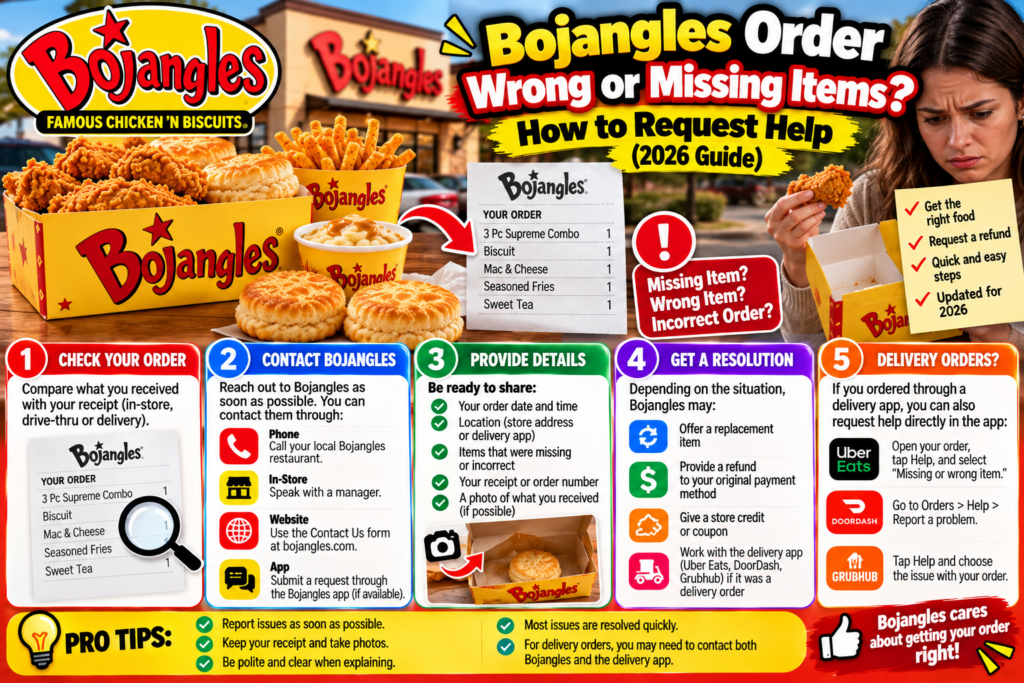
You picked up your Bojangles Order Wrong or Missing Items, drove home, and discovered that your Cajun Filet Biscuit was missing. Or perhaps your delivery arrived with the wrong chicken meal, an incorrect side, or fewer items than you paid for.
What should you do next?
If your Bojangles order is wrong or missing items, check your receipt, document the problem, and contact the restaurant or the ordering service that handled your purchase. Bojangles also provides official customer care and online-order refund forms for customers who need assistance.
The right process depends on whether you ordered at the counter, used the drive-thru, placed an order through the Bojangles website or app, or purchased food through a delivery platform.
This guide explains how to report an incorrect Bojangles order, request a refund or replacement, and follow up when a problem remains unresolved.
Quick Guide: Where to Report a Wrong Bojangles Order
Start by identifying how you placed the order.
| Ordering method | Best first step | Information to prepare |
|---|---|---|
| Restaurant counter | Contact the restaurant where you purchased the food | Receipt, purchase time, missing item |
| Drive-thru | Call or return to the same location | Receipt, order details |
| Bojangles website | Use Bojangles’ official support or refund form | Order confirmation and payment details |
| Bojangles mobile app | Check the order confirmation and official support options | Order number, restaurant location |
| DoorDash | Report the issue through the DoorDash order help section | Digital receipt, missing or incorrect items |
| Uber Eats | Use the order’s help or support options | Order details and photographs |
| Another delivery platform | Contact that platform’s order support | Order ID and issue description |
Bojangles provides a <underline>Customer Care Form</underline> and a dedicated <underline>Online Order Refund Request</underline> through its official website.
You can access them here:
These are official contact options, but submitting a request does not guarantee a refund or replacement.
What to Do Immediately When Your Bojangles Order Wrong or Missing Items
Discovering a mistake can be frustrating, especially when you’ve already arrived home or your delivery driver has left.
Before contacting support, take a few simple steps.
Step 1: Check the entire order
Look through the bag, food containers, and drink holders.
Some restaurants package biscuits, sauces, and smaller sides separately.
For example, you may think a biscuit is missing when it is packed underneath another container.
Check the complete order before submitting a complaint.
Step 2: Compare the food with your receipt
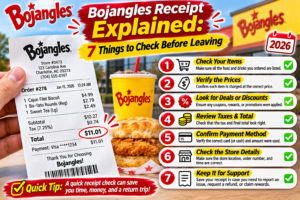
Your receipt is one of the most useful documents when reporting an incorrect order.
Confirm that the missing or incorrect item was actually included in the purchase.
For example, if you paid for a chicken dinner with two selected sides but received only one, the receipt can help establish what was ordered.
Step 3: Take clear photographs
Photographs can help explain the problem.
Useful images include the receipt, the food you received, and any packaging labels.
You do not need to photograph every item, but keep enough information to make the issue understandable.
Step 4: Contact the correct support channel
If you purchased directly from a restaurant, start with that location.
If you ordered through a delivery platform, use its order-specific support options.
For an online Bojangles purchase, the official refund request form may be appropriate.
Step 5: Explain what resolution you want
State whether you are requesting the missing food, a correction, a refund for an unavailable item, or another reasonable resolution.
Keep the explanation factual and specific.
How to Report Missing Items From a Bojangles Pickup Order
Pickup orders can involve purchases made through the restaurant counter, website, or mobile app.
If you notice the problem while still at the restaurant, show the receipt to an employee and explain which item is missing.
This is often the simplest opportunity to correct a packing mistake.
If you discover the problem after leaving, contact the restaurant as soon as practical.
For example, suppose your receipt lists a four-piece chicken meal with sides and biscuits, but one side is missing.
You can explain that the receipt includes the side, identify the order time, and ask whether the restaurant can provide the missing item or another appropriate resolution.
If the restaurant cannot resolve the issue, use Bojangles’ official customer care form.
For a qualifying online order, you can also review the online-order refund form.
What If Your Bojangles Drive-Thru Order Is Wrong?
Drive-thru mistakes can be particularly inconvenient because customers may not discover the problem until they are several miles away.
For example, you might order a Cajun Filet Biscuit but receive a different breakfast sandwich.
If you are still near the restaurant, consider returning with your receipt.
If you have already reached home, call the location before making another trip.
Explain the purchase time, the item you ordered, and the food you received.
Ask what resolution is available and whether a return visit is necessary.
Practical tip: Before leaving the drive-thru, check the number of food containers, drinks, and larger items. A quick count can help catch missing items, although you should not open or inspect food while driving.
How to Request a Refund for a Bojangles Online Order
Bojangles maintains an official online-order refund request page.
Official Refund Request
Bojangles provides an official refund request form for online-order issues. Use the form to submit your request for review.
Step 1: Find your order confirmation
Locate the receipt or confirmation associated with your purchase.
Depending on the ordering method, it may be in your email, app, or online order history.
Step 2: Identify the issue
Describe exactly what went wrong.
For example:
- One paid side was missing.
- The restaurant provided a different chicken meal.
- The order was incomplete.
- The order did not arrive.
- You were charged for an item that was unavailable.
Step 3: Submit the appropriate details
Follow the instructions on the official refund form.
Provide accurate contact information, order details, and a concise explanation.
Do not include full payment-card numbers or account passwords.
Step 4: Keep a record of the request
Save any confirmation number, email, or reference provided after submission.
This helps if you need to follow up.
Step 5: Wait for the review
A refund request may require investigation or approval.
Bojangles’ published terms state that refunds are discretionary and may involve third-party providers.
The official refund page does not establish a universal processing deadline for every case.
What If Your Bojangles DoorDash Order Is Missing Food?
When you order Bojangles through DoorDash, the appropriate first step is generally to report the problem through DoorDash.
Open the DoorDash app or website, find the completed order, and look for its help or support section.
Select the issue that best matches what happened.
For example, if you ordered two chicken sandwiches but received only one, report the missing item rather than marking the entire order as missing.
Provide the requested details and review any resolution offered.
DoorDash may evaluate the issue under its policies. A refund, credit, or another outcome is not guaranteed.
If the issue concerns food preparation rather than delivery handling, the restaurant may also need to review it.
However, for a DoorDash payment, use DoorDash’s transaction support process rather than assuming the restaurant can directly reverse the platform charge.
Visit DoorDash Help for official assistance.
What If Your Bojangles Uber Eats Order Is Wrong?
For an Uber Eats order, use the support options associated with the transaction.
Open Uber Eats, locate the order, and select the relevant help category.
Depending on the problem, you may see options for missing items, incorrect items, damaged food, or an undelivered order.
Explain the difference between what you purchased and what arrived.
For example:
Ordered: Two chicken meals and two large sides.
Received: Two chicken meals and one large side.
Attach photographs if the support process requests them.
Uber Eats will review the issue under its applicable policies.
Visit Uber Eats Help for current support information.
Missing Item vs Wrong Item vs Entire Order Missing
These situations may look similar, but they should be reported accurately.
| Problem | Example | What to report |
|---|---|---|
| Missing item | Paid for two biscuits, received one | The specific missing biscuit |
| Wrong item | Ordered Cajun Fries, received another side | Incorrect item |
| Incomplete combo | Meal arrived without its included drink | Missing combo component |
| Wrong order | Received food intended for another customer | Incorrect order |
| Entire order missing | Order marked delivered but no food received | Undelivered order |
| Quality problem | Food arrived damaged or in an unacceptable condition | Food quality or damage issue |
| Billing issue | Charged for an item not included in the order | Incorrect charge |
Accurate reporting makes it easier for support staff to understand the problem.
Do not report an entire order as undelivered when only one side is missing.
Can You Get a Refund for One Missing Bojangles Item?
You can request help or a refund for an individual missing item.
Whether you receive a partial refund, credit, replacement, or another resolution depends on the ordering method and the circumstances.
For example, suppose you paid for an extra side that was not included in your bag.
You may reasonably request a correction for that specific item rather than the entire order.
If the item was included as part of a discounted combo, its refund value may not equal the standalone menu price.
That is because a bundled meal may have different pricing from separately purchased items.
Keep the receipt and let the responsible support provider evaluate the amount.
What If You Received the Wrong Chicken or Biscuit?
Bojangles offers different chicken meals, biscuits, sides, and breakfast combinations.
An incorrect substitution may be more than a minor inconvenience.
For example, someone ordering a particular biscuit may receive a different filling or sauce.
If the replacement contains ingredients you avoid because of an allergy or another dietary restriction, do not eat it until you have verified what it contains.
Contact the restaurant or ordering platform and explain the discrepancy.
For ingredient and allergen questions, consult the official Bojangles website or contact the restaurant directly.
Do not assume two menu items contain identical ingredients simply because they look similar.
What If Your Bojangles Order Never Arrived?
An order marked delivered but not received requires a different approach from a missing side.
First, check the delivery confirmation and any drop-off photograph.
Verify that the delivery address in the order was correct.
If appropriate, check the designated delivery area and ask household members whether they accepted the food.
If the order is still missing, report it through the delivery platform that handled the transaction.
Avoid posting your home address, phone number, or complete order details on public social media.
If you placed the order through Bojangles’ website or app, review the confirmation for support instructions and use the official customer care or refund channel where appropriate.
What If Bojangles Charged You Twice?
A bank statement can sometimes show both a pending authorization and a completed transaction.
That does not always mean two final charges were made.
Before reporting duplicate billing, check whether both transactions have posted.
Compare the amounts, dates, and associated order confirmations.
If two completed charges appear to relate to one purchase, contact the responsible merchant or ordering platform with the transaction details.
If the issue remains unresolved, ask your card issuer about its dispute process.
Do not share full card numbers or security codes through email or public complaint forms.
How Long Does a Bojangles Refund Take?
There is no single verified refund timeline that applies to every Bojangles order.
Processing can depend on the restaurant, the payment provider, whether the transaction was placed through a third-party app, and the outcome of the support review.
A refund approval and the money appearing in your account are separate steps.
Once a refund is issued, the payment provider may require additional processing time.
If you receive a refund confirmation but the money does not appear within the timeframe communicated by the provider, follow up using your reference number.
Avoid assuming that submitting a form means a refund has already been approved.
What Information Should You Include in a Bojangles Complaint?
A useful complaint should allow support staff to identify the transaction and understand what went wrong.
Prepare the following information:
| Information | Why it helps |
|---|---|
| Order number | Identifies the transaction |
| Restaurant location | Identifies where the food was prepared |
| Purchase date and time | Helps locate the order |
| Ordering method | Determines the appropriate support process |
| Items ordered | Establishes what you paid for |
| Items received | Explains the discrepancy |
| Receipt or confirmation | Supports the complaint |
| Photographs, if relevant | Helps document the issue |
| Requested resolution | Clarifies what you are asking for |
Keep your explanation short and factual.
For example, instead of writing a long message about the entire experience, explain that one specific paid item was missing and identify the order.
Example Message to Bojangles Customer Support
Subject: Missing Item From Bojangles Order
Hello Bojangles Customer Care,
I placed an order at your [restaurant location] on [date] at approximately [time].
My order number is order number.
I paid for item name, but it was missing when I checked my order. I have the receipt and can provide additional details if needed.
Could you please review the order and advise whether a replacement, refund, or another resolution is available?
Thank you for your assistance.
This message can be adapted for a wrong item, an incomplete combo, or a billing concern.
What If You Don’t Receive a Response?
If you have already submitted a request, avoid creating several duplicate complaints immediately.
Keep your original reference number and allow reasonable time for review.
If you need to follow up, use the same support channel when possible.
Include the date of your original request and explain that the issue remains unresolved.
If you initially contacted the restaurant and still need help, the Bojangles Customer Care Form is an official escalation option.
For an eligible online-order refund issue, the official refund form may be more appropriate.
If a payment dispute remains unresolved, you can also ask your card issuer about available options under its rules.
How to Avoid Missing Items on Your Next Bojangles Order
Although customers cannot control every packing mistake, a few practical habits can help.
Check the receipt before leaving
Make sure the listed items match what you intended to order.
Count the main food items
For family meals, count the chicken containers, sides, biscuits, and drinks when practical.
Review customizations
Check whether the order confirmation includes the correct side choices, biscuit selections, and requested changes.
Keep the confirmation
Digital receipts are useful if you discover a problem after arriving home.
Report mistakes promptly
Contact the appropriate support provider soon after discovering the issue, while the order details are still easy to identify.
Frequently Asked Questions
What should I do if my Bojangles order is missing items?
Check your receipt and packaging, then contact the restaurant or the delivery platform used for the purchase. Bojangles also provides official customer care and online-order refund forms.
Can I get a refund for a wrong Bojangles order?
You can request a refund or another resolution. Approval depends on the circumstances, ordering channel, and applicable policies.
How do I contact Bojangles about a missing item?
Use the official Bojangles Customer Care Form or contact the restaurant where you purchased the food.
Does Bojangles have an online refund form?
Yes. Bojangles maintains an official online-order refund request form.
What if my Bojangles drive-thru order is wrong?
Contact the restaurant that prepared the order. Keep your receipt and explain the item you ordered versus the item received.
Who handles missing items from a DoorDash Bojangles order?
Start with DoorDash’s order-specific help process because DoorDash handled the customer transaction.
What if Uber Eats delivered the wrong Bojangles food?
Open the affected order in Uber Eats and use its support options to report the incorrect food.
Can Bojangles replace a missing side?
You can ask the restaurant whether a replacement is available. The resolution depends on the restaurant and the circumstances.
How long does a Bojangles refund take?
There is no universal guaranteed timeframe. Review the response from the restaurant or platform and allow for any payment-provider processing time.
Do I need a receipt to report a wrong Bojangles order?
A receipt is very helpful, but if you do not have one, provide the order number, purchase time, restaurant location, and any digital confirmation available.
Can I request a refund if my Bojangles food arrived cold?
You can report a food-quality concern through the appropriate support channel. Whether a refund or credit is offered depends on the circumstances and applicable policies.
What if I paid for an extra sauce but didn’t receive it?
Report the specific missing add-on and keep the receipt showing the charge. The restaurant or platform can review the request.
Final Verdict: How to Get Help With a Wrong Bojangles Order
If your Bojangles order is wrong or missing food, the best first step is to report the exact problem through the channel responsible for your purchase.
For counter and drive-thru orders, start with the restaurant.
For Bojangles website or app orders, use the official customer care or online-order refund form as appropriate.
For DoorDash, Uber Eats, or another delivery marketplace, use that platform’s order support process.
Keep your receipt, provide accurate details, and request a reasonable resolution based on what was missing or incorrect.
A clear, documented complaint gives the responsible support team the information needed to review your case.
Editorial disclosure: BojanglesPrice.com is an independent informational website and is not affiliated with, endorsed by, or operated by Bojangles. This article provides consumer guidance based on publicly available official support resources. Refunds, replacements, and credits are subject to review and applicable terms. Do not submit order complaints to BojanglesPrice.com; use the official support channels linked above.
Related Bojangles order guides
If your order total looks incorrect, read our Bojangles receipt guide to understand charges and what to check before contacting support. If you are planning another breakfast order, our Bojangles breakfast guide explains menu choices and value comparisons.